


VP-CART shop configuration is one of the major components of VP-CART. Through your browser, you can turn on/off over 360 options. These include:
- Coupons, Gift Certificates, Gift Registry, Pin Numbers, Reward (if applicable)
- Set-up your merchant email details
- Determine taxes, shipping, and handling fees
- Determine sorting and fields to display for products
- Set-up how the customers will use your system full access, restricted access, semi-restricted access
- Determine what features you want your customers to use: tracking, review orders, restore orders, reviews, tell a friend, registration, join a mailing list
- Set which credit cards you take and what other payment types you accept
- Set which payment gateway you are using
- and much much more
Configuration Usage
How do you know which configuration option to use? Each major page in the VP-CART Set-Up page is displayed with its associated configuration options. Using the search box, you can quickly find the option(s) you want and change its value.
A quick method of finding options, you can enter a partial word such as "tax" and most configuration options related to tax will be displayed.
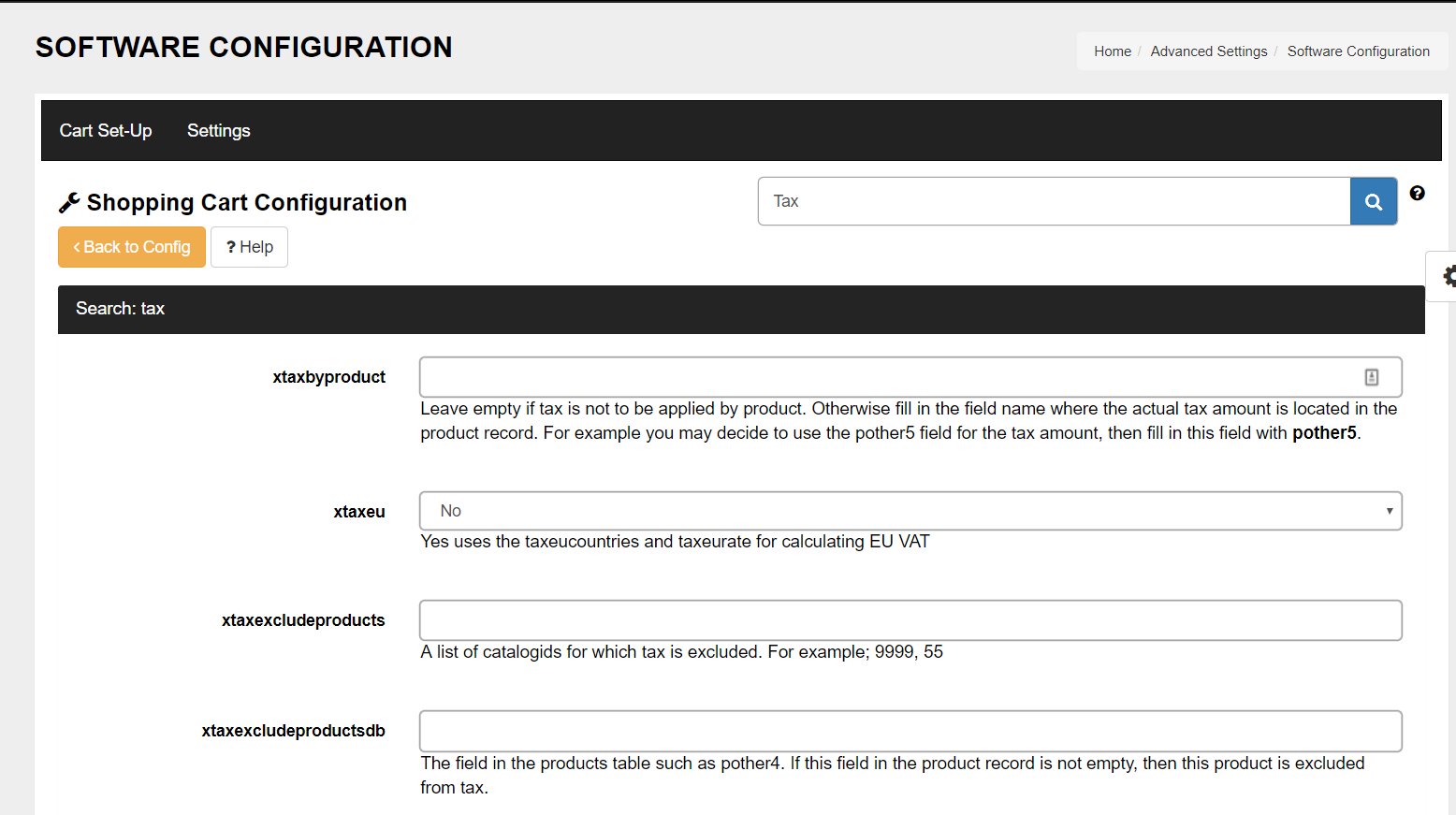
Editing the Configuration Table
We recommend that you use the Shop Configuration menus and do not edit the configuration table directly. Doing so makes invalidate certain records.
Configuration Internals
The shop configuration is kept in memory while your shop is in operation. All users use the same copy. There is no extra overhead in having more users shopping on your site. The copy of the configurations in memory is loaded whenever you change an option or you can click "Reload Shop Configuration" which brings the database table into memory.
Running two shop with totally different Configurations
It is possible to run two shops with totally different configurations. For example, one shop may not display prices, and the other may. To do this you need a second configuration table, an extra configuration table (configuration1) is provided. To do this:
- Install a second copy of VP-CART into another folder
- Copy the current configuration to configuration1 using our utility
- Edit shop$config.asp and change 2 lines
const xconfigtable="configuration1"
const xshopid="shop500-1"
Now you will have two shops, in different folders, with different configurations.
 TrustGuard - PCI Security Scanner
